


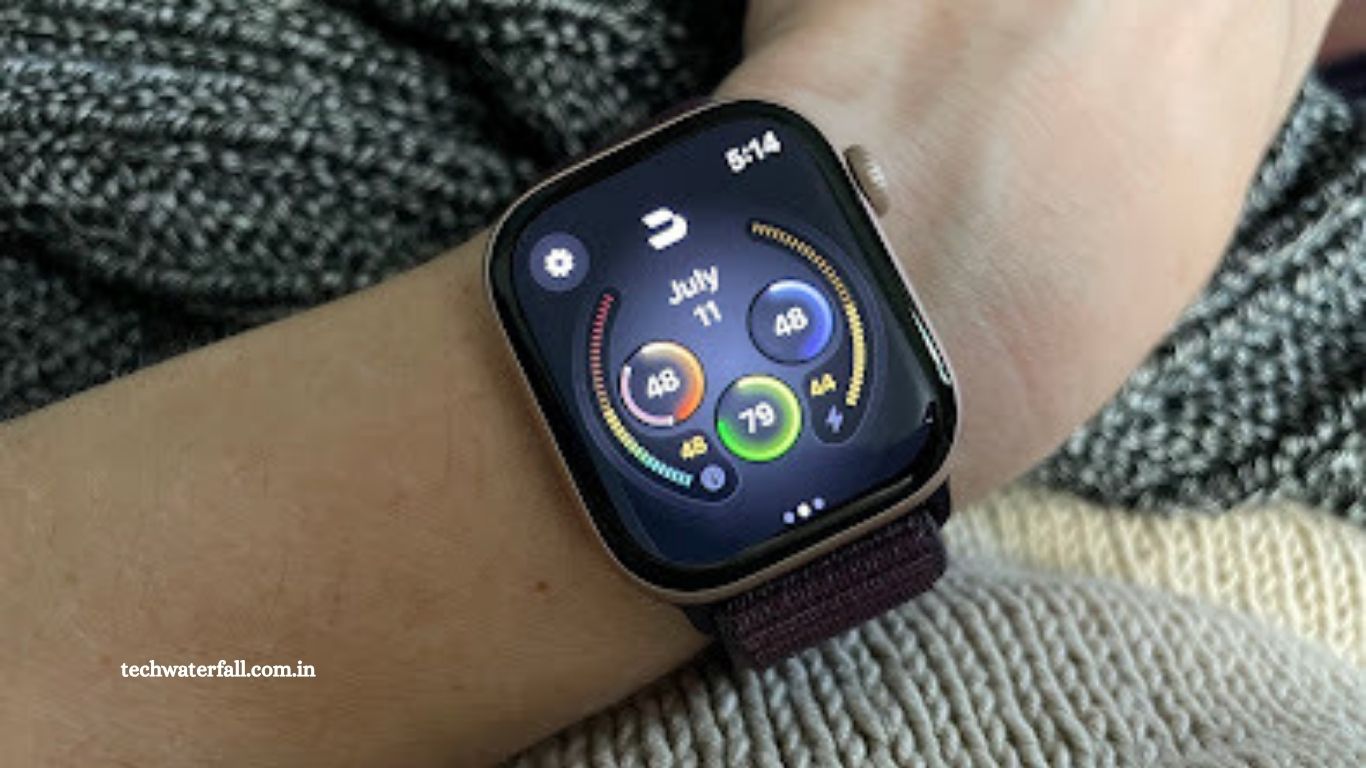
The Apple Watch comes equipped with the same sensors as most other wearables—sometimes even more—but when it comes to health and fitness insights, it doesn’t do much with all that data. Enter Bevel Health, an app that consolidates your metrics in one place and provides analysis and guidance—for a fee ($49.99/year or $5.99/month).
Devices like Whoop, Fitbit, and others already offer this kind of integrated experience within their apps, but Apple has never provided a solution that brings all your data together with actionable insights. If you wear an Apple Watch, you often have to hop between multiple apps to get the information you want, and what you see is usually just basic reports—no coaching, no analysis. For example:
- Vitals app: Shows a few metrics like sleep duration and heart rate.
- Fitness app: Tracks daily exercise totals.
- Health app: Lets you dig into specific metrics like your heart rate variability (HRV).
In contrast, with Whoop, the app immediately shows your workout and stress “strain,” your sleep and recovery, and lets you track habits and environmental factors that affect your recovery—all in one convenient place. Fitbit, Garmin, Oura, and other wearables take a similar all-in-one approach.
When comparing the Apple Watch to these devices, it’s important to account for subscription services like Bevel to get a similar feature set. (Athlytic is another app in this category worth considering.)
Read More: NordVPN Review 2025: Fast, Private, and Perfect for Streaming
What Bevel Is and How It Works
Bevel is primarily a phone app that pulls in data from Apple Health, the built-in app that collects information from all your other health apps and wearables.
Technically, you don’t need an Apple Watch to use Bevel. However, the Apple Watch provides the most compatible and detailed data—especially for sleep tracking. When you wear your Apple Watch to sleep, it sends your sleep data to Apple Health, and Bevel reads that data to display your sleep patterns and calculate your recovery scores.
The Bevel Apple Watch app has three main functions:
- Displaying scores and data: This mirrors what you see in the phone app. While convenient, it isn’t the app’s core feature.
- Smart alarm: When you set an alarm in the app, Bevel assumes you’re asleep from that point until the alarm goes off. You can opt for a smart wake feature, which tries to wake you during a lighter sleep stage, or stick with a regular alarm.
- Strength workouts: These are designed to be completed on the watch itself.
Before diving into the strength workouts, let’s take a closer look at the daily scores Bevel calculates and what they mean.
Strain and Recovery Scores
Strain, as in Bevel and Whoop, is mostly a shorthand for exercise intensity. In my screenshots, I hadn’t done a workout yet, so my strain was low. The app suggested aiming for a strain of 50%–81% that day—but it doesn’t guide you on how to reach that target. Without specific workout recommendations, I found myself often ignoring the suggestion. (By comparison, Whoop has a chatbot that can recommend workouts to hit your target strain.)
Bevel’s home screen also includes other features similar to those on Whoop and other wearable apps:
- Stress and Energy: A card that functions like Garmin’s “body battery.” It shows a number that declines through the day and replenishes when you sleep. Bevel calls this your energy bank and tells you when the last restorative moment “charged” it.
- Vitals / Health Monitor: Displays your respiratory rate, resting heart rate, HRV, skin temperature, and sleep duration. Blood oxygen is listed but currently unsupported on Apple Watches.
- Cardio Load: Tracks your cardiovascular exertion over time (more on this below).
- Nutrition Logging: Allows you to log food intake, though I didn’t test this feature. In general, calories tracked via a food app rarely align perfectly with calories burned by a fitness wearable.
Overall, the dashboard gives a quick snapshot of your day’s strain, recovery, and overall health, but the app’s guidance is still lighter than what you’d get from a dedicated fitness wearable like Whoop.
I Had Some Data Syncing Issues
One thing I love about Bevel is that it pulls in data—including workouts—from other devices. One thing I don’t love? It doesn’t always do it reliably.
I personally prefer wearing a sports watch like a Garmin or Coros for runs, since they offer advantages over the Apple Watch as activity trackers. As a fitness tech reviewer, I have plenty of options on hand, but if you only use an Apple Watch with Bevel as your main health app, this probably isn’t a concern. I appreciated that Bevel imports nearly everything from Apple Health, including workouts recorded on devices like my Coros watch.
Unfortunately, I found it didn’t always pull that data correctly. At first, everything seemed fine: Bevel congratulated me on my Outdoor Run, and my workout history showed the correct duration. But my strain was consistently low. It turned out that Bevel was pulling run data from Strava instead of Coros, only crediting me with a few minutes in zone 1 and zone 2—as if my hour-long trail run barely counted. After disconnecting Strava and connecting Coros, the numbers became more realistic, though the heart rate zones still didn’t perfectly align.
That said, runs tracked directly with the Apple Watch (using the native Workout app) synced perfectly. Bevel even recorded my RPE (Rate of Perceived Exertion, e.g., 6/10 “somewhat hard”) alongside heart rate data, and it pulled in the map of my route. If you primarily use an Apple Watch for workouts, Bevel handles your data smoothly, and these syncing issues are unlikely to occur.
Fitness Data
Bevel provides nearly every way to view your workout data that I’ve seen in any other wearable app—maybe even too many! But since it all combines into a strain score, you can always just focus on that if all the numbers feel overwhelming. Here’s a snapshot of what I can see from my Fitness tab:
- Activity Calendar: Shows which days I worked out, color-coded by number of activities so double workouts stand out.
- Exercise Time Graph: Compares your total exercise time this month with the previous month.
- Strain Performance: Tracks when you hit, exceed, or fall below your recommended strain.
- Cardio Load: Shows whether your cardio is consistent, trending up, or trending down.
- Cardio Status: Labels your current state as detraining, maintaining, productive, peaking, fatigued, or overtraining. This is a premium feature on Garmin watches, so it’s cool to see here—though Bevel’s calculations can swing quickly. Garmin’s version tends to track long-term trends, while Bevel can flip from productive to detraining or maintaining in just a few days.
- Cardio Focus: Breaks down how much of your cardio has been low aerobic (zone 2), high aerobic (tempo), and anaerobic.
- Heart Rate Recovery: Measures how quickly your heart rate drops after workouts—the faster, the better.
- Strength Workouts: Covered in the section below.
This is an impressive array of metrics, which is both a strength and a drawback. You can focus on whichever numbers motivate you most—or get overwhelmed trying to figure out what to do with them all. Unlike Garmin or Whoop, which will suggest workouts based on your goals, Bevel simply gives a target strain for the day. That leaves you asking yourself: Do I try to hit my target strain? Push my training status to “productive”? Or just increase my total exercise minutes?
Strength Training
One thing I really like about Bevel is its strength training feature. On your Fitness tab, right below all the cardio metrics, you’ll see a spiderweb graph showing how much you’ve been working each muscle group lately.
It’s an excellent concept and almost fully realized. Personally, I think I prefer it over Whoop for this reason—the muscle breakdown gives Bevel the edge. That said, the feature isn’t perfect.
The biggest limitation is that it only tracks strength workouts completed through Bevel’s Apple Watch app. On the plus side, the app itself works well. Most of the exercises I wanted to do were already included. Initially, I was disappointed there was no way to create supersets, but I quickly realized I could simply swap between exercises during the workout.
I tested the app with a session that included kettlebell clean-and-press, kettlebell squats, pistol squats, and pull-ups. The interface was easy to use and visually appealing. One small quirk: if the watch thinks you’re not looking at it, the rest timer temporarily stops updating seconds and hundredths—but it corrects itself as soon as you flick your wrist to check the watch again.
After the workout, however, I was a bit let down. Despite all the pull-ups and cleans, Bevel credited me with only 3% upper back work. At least it gave me plenty of credit for leg work. While I wouldn’t fully rely on Bevel to balance my strength training, the concept and execution are promising.
Journaling
One feature I like about Whoop—and almost like about Bevel—is the extensive journal for habits and lifestyle factors. Both apps aim to show whether your daily behaviors are affecting your recovery positively or negatively. But unlike Whoop, Bevel’s journal can be confusing to set up.
Every day, Bevel asked me what happened the previous night. It automatically filled in an entry for “+50 dB sleeping noise” (always “yes,” even though my bedroom seemed quiet) and then asked about late meals or phone use in bed. I couldn’t figure out how to adjust these defaults. According to Bevel’s website, the app is supposed to ask bedtime questions in the morning and questions about your day at night—but I never got the daily questions. You’re apparently expected to log events throughout the day, which, frankly, I don’t have time for.
On the bright side, Bevel does track several things automatically. It notes your exercise days and “noisy” sleep environments. Still, the insights were limited. For example, it confirms that my recovery worsens after days I exceed my strain target—which makes sense, but isn’t particularly actionable.
Another minor frustration: notifications were often delayed. Sometimes I wouldn’t see any alerts all day, only to have the app bombard me in the evening with sleep data, workout congratulations, and bedtime reminders—all at once.
Maybe I’m just a jaded fitness tech reviewer, but I struggled to stay engaged with Bevel. Unlike Whoop, which gives me actionable recommendations each morning, or Garmin, which updates training status after workouts, Bevel mostly collects data and waits for me to notice it. That’s useful, but it doesn’t motivate me.
Still, Bevel has plenty of fans, and I can see why. If I didn’t have other wearables to compare it to, I’d likely view it more favorably. After all, it combines Garmin’s training status, Fitbit’s cardio load, Whoop’s strain score, and more—all without needing to buy or subscribe to multiple services.
While Bevel doesn’t quite match the experience of Whoop, it’s far better than the native Apple Watch apps. I might even argue that Bevel is the app the Apple Watch should have shipped with.
If you’re committed to the Apple Watch, Bevel adds all these metrics for a relatively low cost of $49.99/year, compared to Whoop at $239/year. As an add-on, it’s a worthwhile upgrade.
Frequently Asked Questions
What is Bevel?
Bevel is a health and fitness app for iPhone that pulls data from Apple Health and your Apple Watch. It consolidates metrics like sleep, strain, recovery, cardio load, and strength training into one app, offering insights and analysis.
Do I need an Apple Watch to use Bevel?
No, technically you don’t need one. However, the Apple Watch provides the most complete and compatible data, especially for sleep and strength tracking.
How much does Bevel cost?
Bevel costs $49.99/year or $5.99/month, which is significantly cheaper than subscription-based wearables like Whoop.
Can Bevel track workouts from other devices?
Yes, Bevel can import workout data from Apple Health, which includes data from other wearables like Garmin, Coros, and Fitbit. However, data syncing isn’t always perfect, and some users may experience inconsistencies.
Does Bevel provide workout recommendations?
No. Bevel gives a target strain for the day but doesn’t suggest specific workouts. For personalized guidance, Whoop or Garmin may be better.
Can I track strength training in Bevel?
Yes, but only if you do your strength workouts through the Bevel Apple Watch app. It provides a spiderweb chart showing muscle groups worked, although the credit for exercises may not always feel accurate.
Conclusion
Bevel is a powerful health and fitness companion for Apple Watch users, bringing together sleep, strain, recovery, cardio, and strength data in a single app. While it doesn’t provide workout recommendations like Whoop or Garmin, it offers a comprehensive view of your metrics at a fraction of the cost. Some features, like strength tracking and habit journaling, aren’t perfect and can be a bit confusing, but the app still delivers far more insight than the Apple Watch alone.