


Finding the best photo editing software in 2025 isn’t easy. With so many tools competing for attention, photographers—whether beginners, hobbyists, or professionals—need solutions that balance usability, creative control, and affordability. The right software can elevate images from simple snapshots to breathtaking works of art.
After testing today’s top options, I’ve narrowed down the best picks for every skill level. From AI-powered tools that simplify edits to professional platforms that give precise control, here’s a complete guide to the best photo editing software in 2025.
Read More: 12 Game-Changing Work Apps You’ll Absolutely Rely On Daily for Career Success in 2025
Key Takeaways
- Luminar Neo – AI-powered creativity and intuitive tools, ideal for enthusiasts.
- ON1 Photo RAW Max – A complete ecosystem blending editing, cloud storage, and community.
- Capture One – Professional-grade precision, RAW excellence, and tethering support.
- Lightroom – Best for photographers on the go with seamless cross-device syncing.
- Affinity Photo – A powerful Photoshop alternative at a fraction of the cost.
- Polarr – Beginner-friendly editing with easy presets and affordable plans.
- Darktable – Best free option with pro-level features for technically minded users.
Why Luminar Neo Tops the List

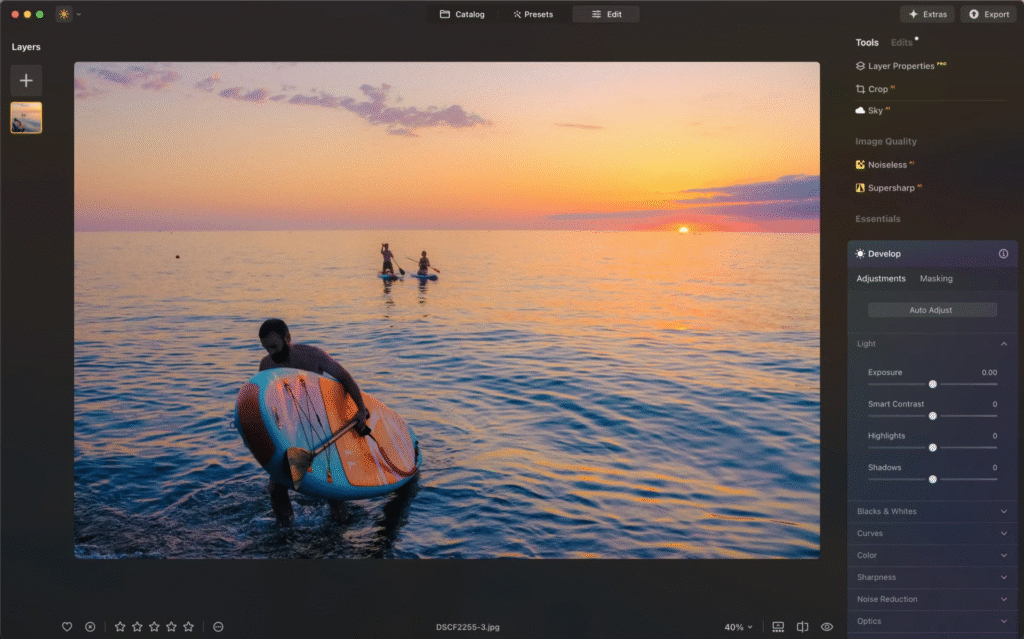
After consistent use throughout the past year, Luminar Neo stands out as the best choice for most photographers in 2025. Its blend of AI speed, creative power, and affordable pricing makes it hard to beat.
Why Luminar Neo is My Favorite:
- ⚡ Fast, smart AI tools for sky replacement, object removal, and portraits.
- 🎨 Balance of automation and manual control for creative flexibility.
- 🖥️ Smooth performance even on older laptops like my MacBook Air M1.
- 💸 One-time payment option—no need for endless subscriptions.
Luminar Neo Pricing (2025):
- Perpetual Desktop License: $119
- Cross-Device License (Desktop + Mobile): $159
- Perpetual Max License: $179 (includes creative library, LUTs, and presets)
ON1 Photo RAW Max – Best All-in-One Ecosystem
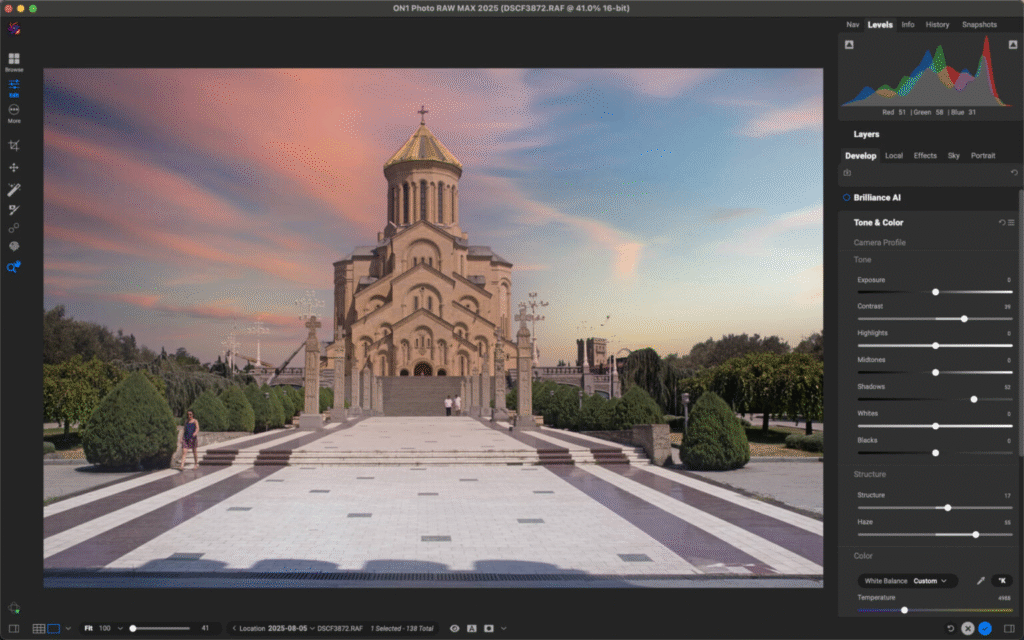
ON1 Photo RAW Max is more than editing software—it’s a full ecosystem. It offers advanced editing tools, cloud syncing, and AI-powered enhancements like noise reduction and portrait retouching.
A standout feature is its AI keyword tagging system, which organizes large photo libraries automatically. For photographers managing thousands of files, this saves hours of manual work.
Its cloud integration (1TB storage) makes it easy to sync across devices, while the ON1 Plus community adds inspiration and collaboration opportunities.
ON1 Photo RAW Max Pricing (2025):
- Perpetual License: $89.99 (two devices)
- Annual Subscription: $79.99 (three devices + plug-in support + 200GB storage)
- Everything Plus Subscription: $129.99 (five devices + 1TB storage + training)
Capture One – Best for Professionals
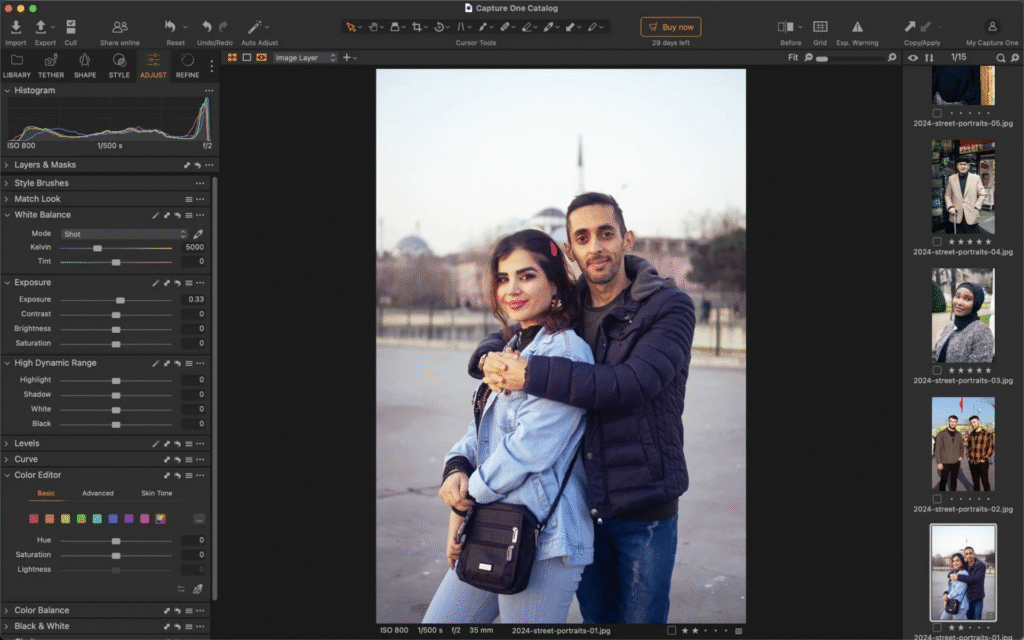
For professional photographers, Capture One continues to deliver unmatched RAW processing and color accuracy. Its layers and masks allow precise, non-destructive edits, while its tethering tool is a favorite for studio shooters.
Capture One has recently added AI-driven features like blemish removal, skin smoothing, and natural contouring—all simple to apply with sliders. Collaboration tools also streamline client feedback, cutting down revision time.
While Capture One comes with a learning curve, its professional-level control and reliability make it the gold standard for many working photographers.
Capture One Pricing (2025):
- Pro Subscription: $17/month (billed annually)
- All-in-One Subscription: $23.25/month (adds collaboration + priority support)
- Studio Subscription: $45.75/month (studio workflows + automation)
- Pro Perpetual License: $329
Lightroom – Best for Mobile Photographers
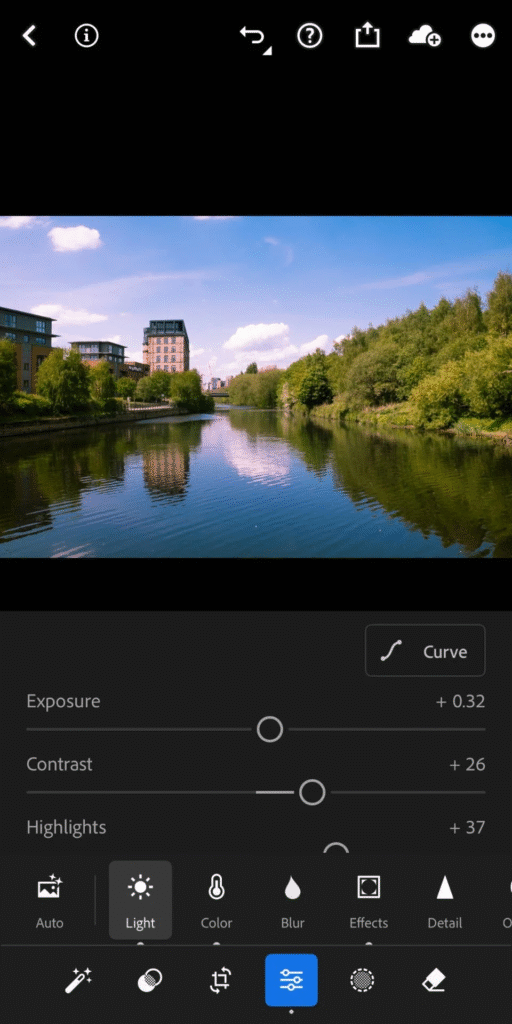
Adobe’s Lightroom remains the best choice for photographers who edit on the move. Its cloud syncing lets you start on a desktop, continue on a tablet, and finish on your phone without missing a beat.
The AI subject selection tool speeds up editing, especially when isolating subjects from backgrounds. Lightroom also offers healing brushes, advanced color grading, and seamless export tools.
While it doesn’t offer a perpetual license, its cross-device workflow makes it worth the subscription for mobile photographers.
Lightroom Pricing (2025):
- 1TB Subscription (Monthly): $17.99
- 1TB Subscription (Annual): $11.99/month or $119.98 upfront
Affinity Photo – Best Photoshop Alternative
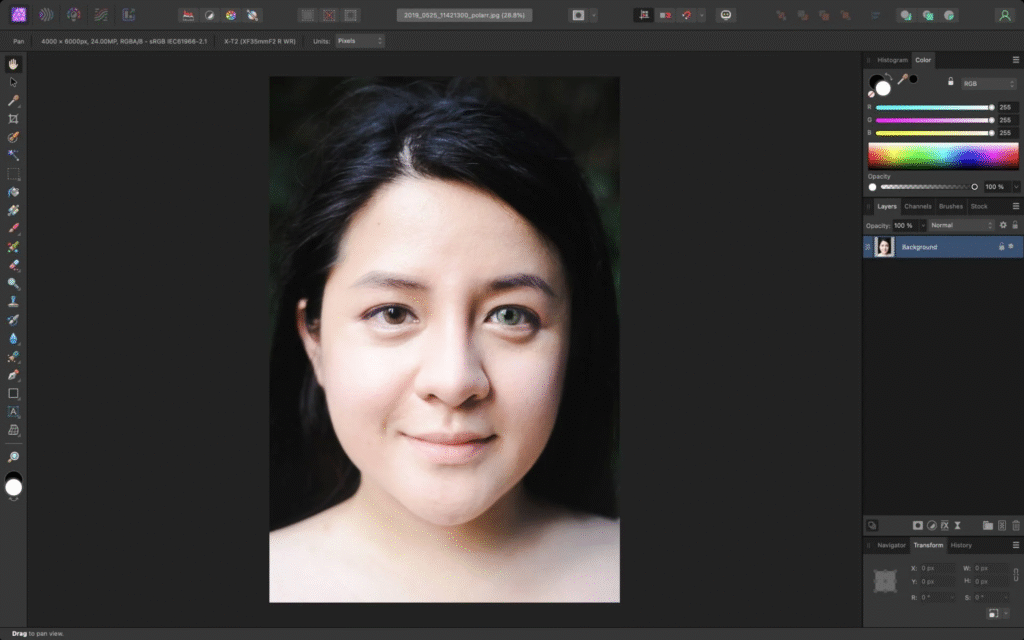
For editors seeking Photoshop-like power without a subscription, Affinity Photo 2 is a top choice. It supports RAW development, focus stacking, HDR merging, panorama stitching, and pixel-level editing—all in a single app.
Performance is lightning fast, even with large files, and updates are free for existing owners. Its biggest limitation is weaker catalog management compared to Lightroom or Capture One.
Affinity Photo Pricing (2025):
- Desktop App: $69.99
- iPad App: $18.49
No subscriptions—just a simple, affordable license.
Polarr – Best for Beginners
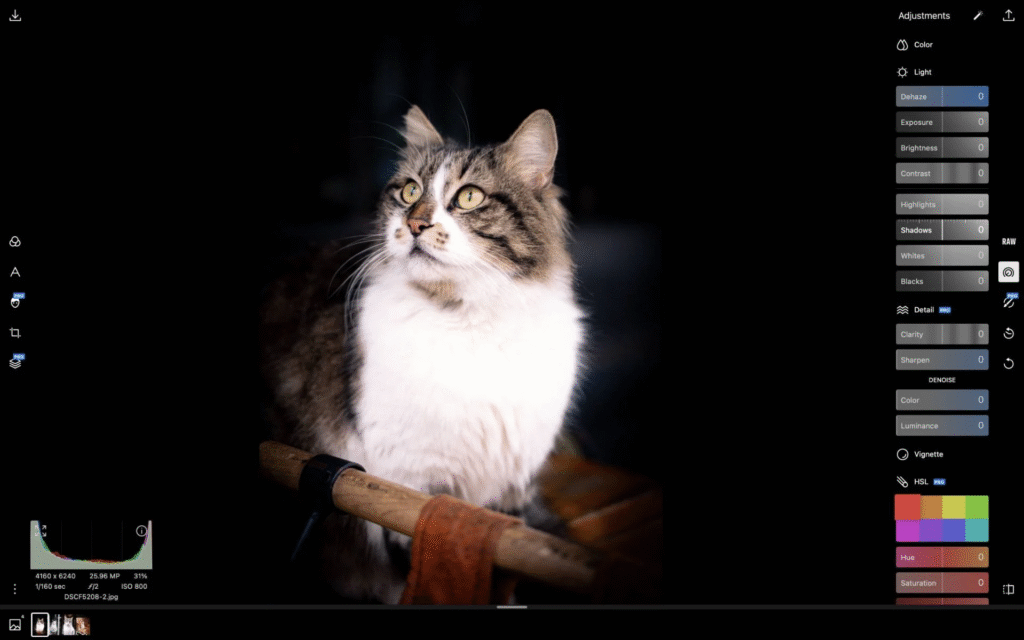
Polarr is designed for beginners who want quick, easy edits. Its intuitive interface and presets make it simple to improve images instantly, while paid features unlock gradient tools, brushes, and RAW support.
For fun, users can experiment with filters, light leaks, and flares, giving images a stylish, modern look.
Polarr Pricing (2025):
- Free Plan: Basic editing + presets
- Pro Plan: $3.99/month (paid annually)
Darktable – Best Free Option
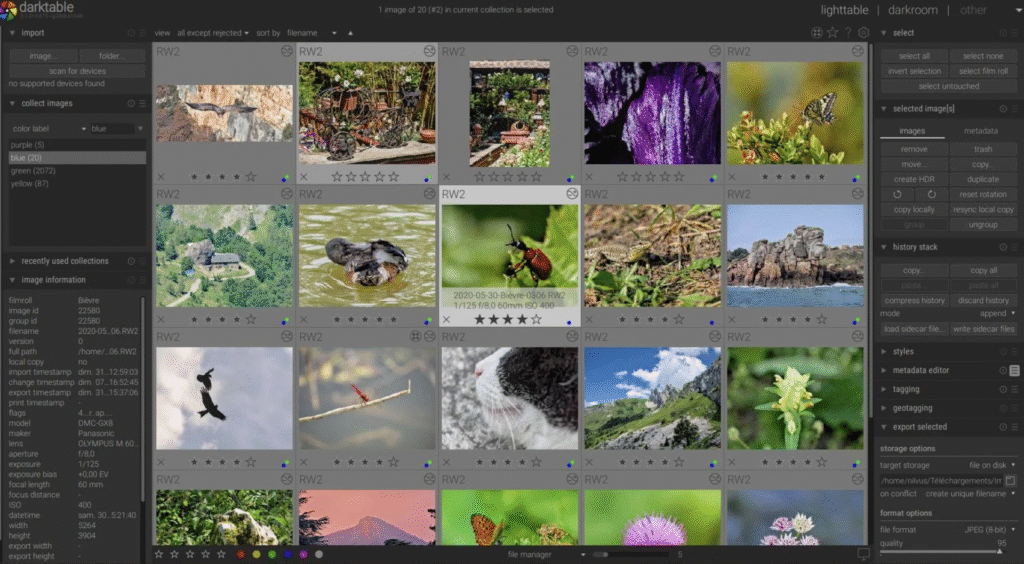
Darktable is the best free photo editing software in 2025, offering professional-level tools without cost. As open-source software, it receives regular updates from a passionate community.
Its RAW support, advanced modules like filmic RGB, and node-based editing system rival paid software. The library management is also excellent, letting users tag, rate, and organize photos with ease.
The interface is technical, meaning beginners may struggle, but for experienced photographers on a budget, Darktable is unbeatable.
Choosing the Right Software
With so many choices, how do you know which photo editor is right for you? Ask yourself:
- Do you need AI tools for fast, creative edits?
- Will you manage RAW files from specific cameras?
- Do you prefer editing on mobile or desktop?
- Is collaboration with clients important?
- What’s your budget—subscription or one-time payment?
For many, Luminar Neo strikes the best balance. Professionals may lean toward Capture One or Lightroom, while beginners can start with Polarr or Darktable without a steep investment.
Frequently Asked Questions:
What is the best photo editing software in 2025?
Luminar Neo is the top choice for most users in 2025 thanks to its powerful AI tools, affordability, and user-friendly design.
Which photo editing software is best for beginners?
Polarr is the most beginner-friendly option. Its intuitive interface, easy presets, and affordable Pro plan make it ideal for newcomers.
What photo editing software do professionals use?
Professionals often rely on Capture One and Adobe Lightroom. Both deliver precise RAW editing, advanced color grading, and workflow tools for serious photographers.
Is there any free photo editing software worth using in 2025?
Yes. Darktable is the best free option, offering professional-level tools, RAW support, and a strong library system without any cost.
Which photo editor is best for mobile editing?
Adobe Lightroom remains the best mobile editing software with seamless cloud syncing across devices, powerful adjustment tools, and AI-powered features.
Can I buy photo editing software without a subscription?
Yes. Luminar Neo and Affinity Photo both offer affordable one-time purchase licenses, making them great alternatives to subscription-only platforms.
What is the cheapest photo editing software in 2025?
Polarr Pro is the most affordable at $3.99 per month, while Affinity Photo offers a budget-friendly one-time purchase at $69.99.
Conclusion
The world of photo editing software in 2025 offers something for everyone. Whether you’re a beginner experimenting with presets, an enthusiast eager to unlock AI-powered creativity, or a professional demanding RAW precision, there’s a tool tailored to your needs.No matter your skill level or budget, the right software can transform your photos into stunning masterpieces with ease. The key is choosing the platform that matches your workflow, style, and creative vision.
